
 Future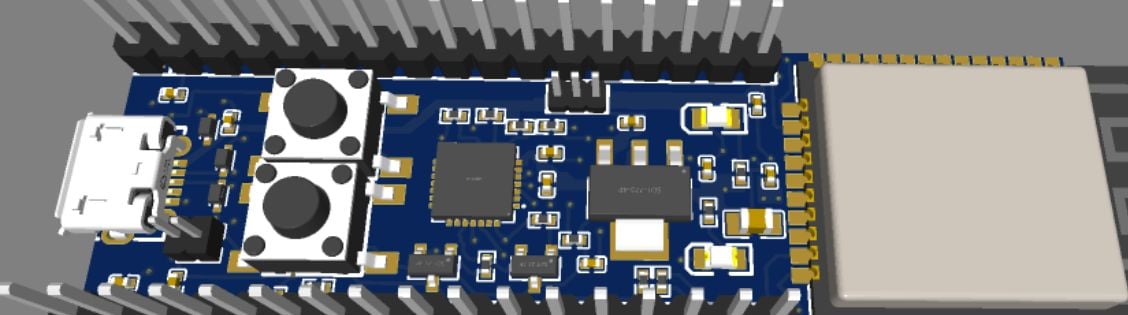
This project is a custom ESP32 PCB designed in EasyEDA. I worked on the component placement, PCB layout, routing, and 3D design. the board includes an ESP32 module, USB interface, buttons, and GPIO headers.
- 14.1h
- Devlogs
ESP32 Custom Board
A custom ESP32-based development board designed and routed using EasyEDA. This project is designed as a compact and reusable ESP32 development platform for IoT, embedded systems, automation, sensors, Wi-Fi, and Bluetooth-based projects.
🎥 Project Demo
Watch the complete project demonstration on YouTube:
This video demonstrates the project functionality, hardware setup, working process, and final output.
Features
- ESP32-based custom development board
- Wi-Fi connectivity
- Bluetooth connectivity
- USB interface for programming and power
- GPIO header pins for external components
- BOOT/RESET control buttons
- Custom PCB layout and routing
- Compact development-board design
- Designed and routed in EasyEDA
- Editable PCB design file included
- 3D OBJ model included
- Gerber manufacturing files included
- User LED connected to GPIO18
- Basic MicroPython LED blink test included
Board Overview
The custom PCB contains:
- ESP32 module
- USB connector
- USB-to-serial/programming circuitry
- Power and supporting circuitry
- BOOT/RESET control buttons
- GPIO header pins
- User LED connected to GPIO18
- Passive components
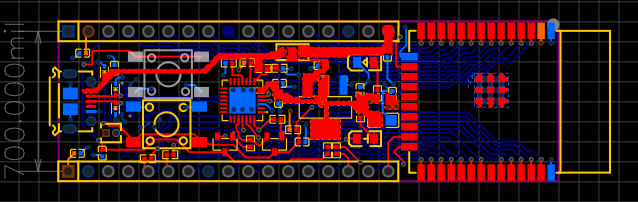
- Custom PCB traces and routing
Project Files
PCB Design
PCB/PCB_PCB_ESP32_2026-09-11.json- Main EasyEDA PCB design/source file.Autorouter/Autorouter_PCB_ESP32_2026-09-11.dsn- Autorouter design file.
3D Model
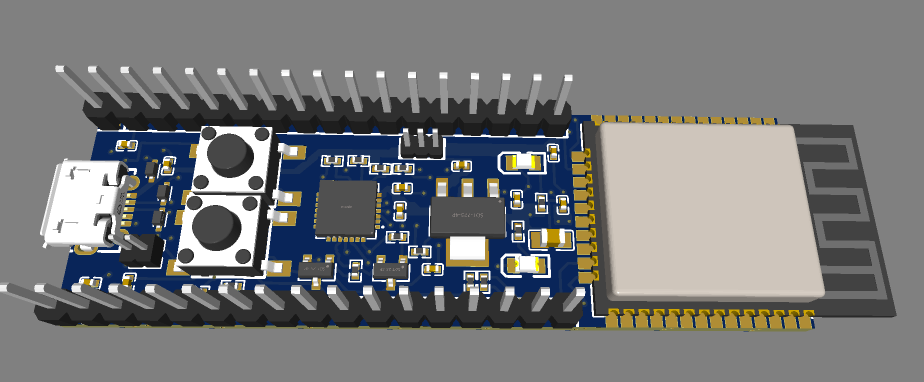
3D/ESP32.obj- 3D OBJ model of the PCB.
Manufacturing Files
Gerber/Gerber_ESP32_PCB.zip- Gerber files for PCB manufacturing.
Images
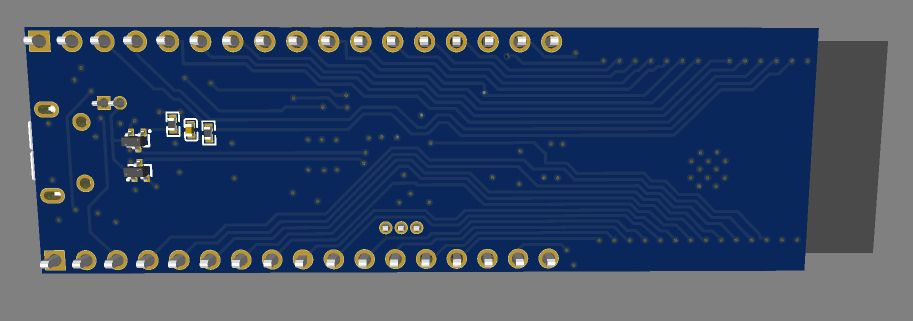
The Images folder contains PCB design, routing, and 3D preview images.
Firmware / Test
blink.py- Basic MicroPython LED blink test for the user LED connected to GPIO18.
PCB Preview
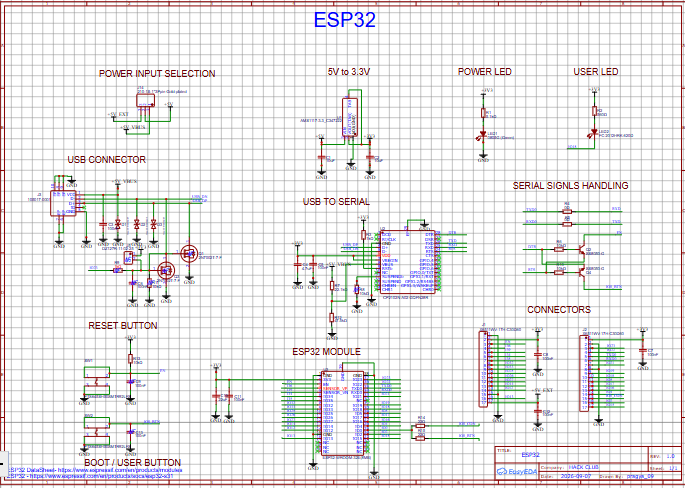
PCB Design
PCB Routing
Front 3D View
Back 3D View
Build Photo: Not available yet
Bill of Materials
Software Required
To view or modify the PCB design:
- EasyEDA
The OBJ model can be viewed using any software that supports .obj 3D files.
For the LED test:
- MicroPython
- Any MicroPython-compatible ESP32 development environment
How to Open the PCB Design
- Download the PCB source file from the
PCBfolder. - Open EasyEDA.
- Import/open the downloaded PCB design file.
- View or modify the PCB layout in EasyEDA.
- Check the component footprints, PCB dimensions, layers, routing, and design rules before making changes.
How to Use This Project
This project can be used as a starting point for creating your own ESP32 development board or for experimenting with ESP32-based projects.
You can:
- Open the editable PCB design in EasyEDA.
- Inspect the schematic and PCB layout.
- Modify the PCB layout or components.
- Add new features or sensors.
- Use the GPIO headers for external components.
- Use the included Gerber files to manufacture the PCB.
- Use the BOM to identify the required components.
- Use the included
blink.pyscript to test the user LED.
If you modify the PCB design, check the schematic, component footprints, connections, routing, and DRC before manufacturing.
LED Blink Test
The board includes a user LED connected to GPIO18.
A basic MicroPython script is included as blink.py to test the LED.
from machine import Pin
from time import sleep

led = Pin(18, Pin.OUT)

while True:
    led.value(1)
    sleep(1)
    led.value(0)
    sleep(1)
How it was built
3 devlogs, 3 to watch14.1 hours recorded with Lapse.